No-code automations, checked before they go live.
A trigger, a sequence of steps, and branching conditions that own their own yes and no paths. The part most builders skip is the pre-flight: Watx catches dead variables, unreachable branches and unsafe URLs before an automation ever touches a customer.
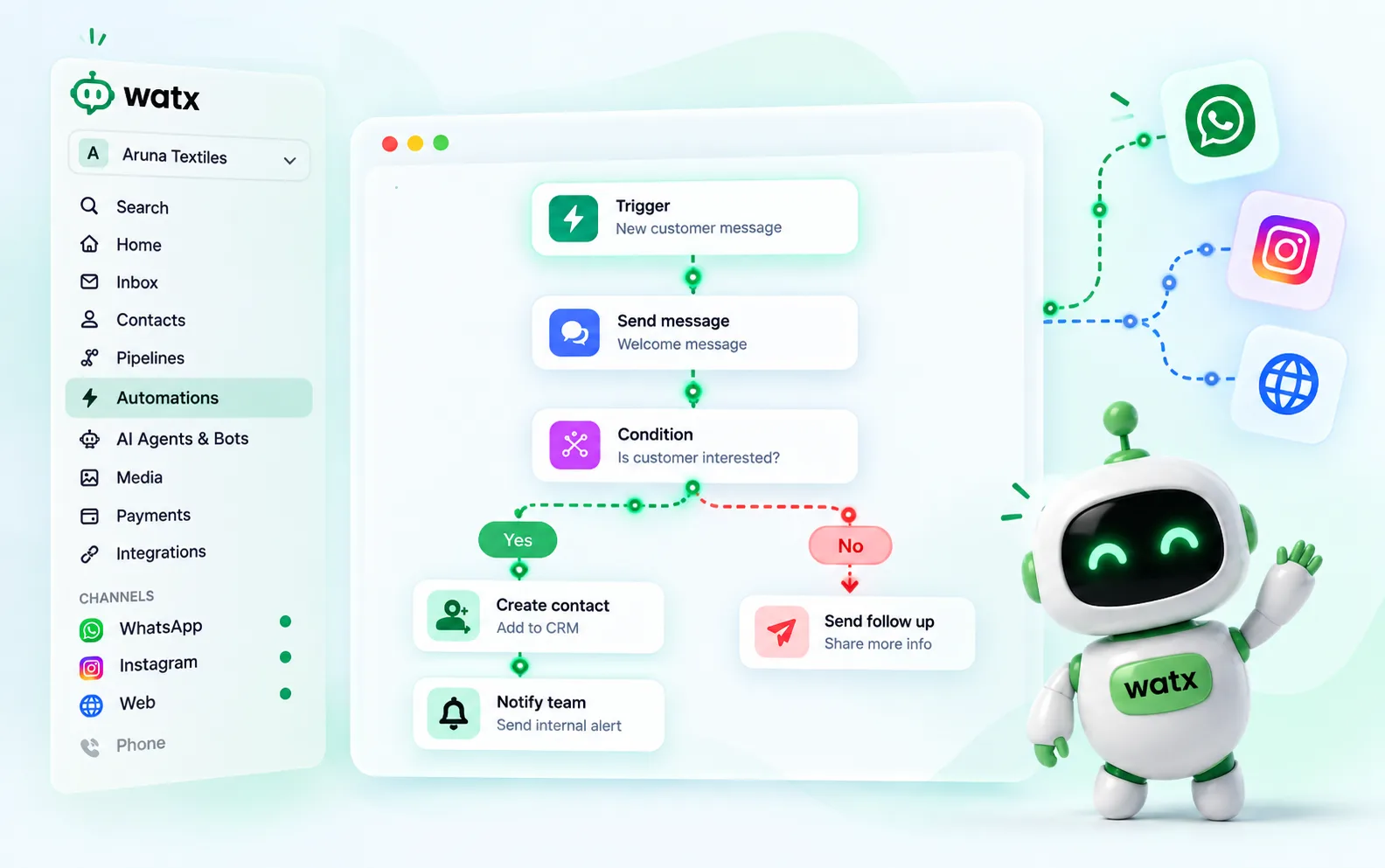
No-code automations on a visual canvas.
A trigger, then a sequence of steps, with branching conditions that own their own yes/no paths. Pre-flight diagnostics catch dead variables and unreachable branches before you switch it on.
- Triggers: message received, keyword, contact created, tag applied, form submitted, appointment booked/rescheduled/cancelled
- Steps: send message/template, tag, segment, set field, wait, condition, HTTP request, set status, Google actions
- A template engine for dynamic values — {contact.name}, filters and defaults
- Pre-flight checks: dead variables, unreachable branches, 24-hour-window and unsafe URLs
Automations, answered.
Do I need a developer?
No. Triggers, steps and conditions are all no-code. If you do have a developer there are HTTP request steps and a public REST API to build against, but nothing here requires one.
What can start an automation?
A message received, a keyword, a contact created, a tag applied, a form submitted, or an appointment booked, rescheduled or cancelled.
What are the pre-flight checks?
Before you switch an automation on, Watx looks for variables that will resolve to nothing, branches nothing can reach, steps that would breach the 24-hour window, and customer-supplied URLs that fail our outbound guard.
The rest of the platform
- Official Cloud API Run on the official Meta Cloud API — and stay compliant.
- Team inbox One inbox your whole team can see.
- Contacts & segments Every contact, filed the way your team actually works.
- Broadcasts Send at scale without risking your number.
- Chatbot flows Conversational flows you can test before you ship.
- AI agents AI agents that answer the boring 70% — and hand you the rest.
- Deal pipelines See which conversations turned into revenue.
- Forms & bookings Forms and booking pages that feed straight into Watx.
- Catalogue & orders Sell your catalogue right inside the chat.
- Google Workspace Run Gmail, Calendar and Sheets under your own Google authority.
- Ad attribution Know which ad started the conversation that closed.
- API & webhooks A real API, webhooks, and Zapier for the long tail.
- Workspaces & team Built for one team — or an agency running fifty.
- Trust & compliance We treat your number like it pays the bills.
All of it, on one number.
Watx is one platform, not fifteen add-ons. 15-day free trial, no card, and you can keep the WhatsApp Business app on your number while you try it.