Built for one team — or an agency running fifty.
Managing several brands usually means several accounts and a shared document full of passwords. Each client here is an isolated workspace, separated at the database level rather than by everyone being careful, and one login moves between all of them.
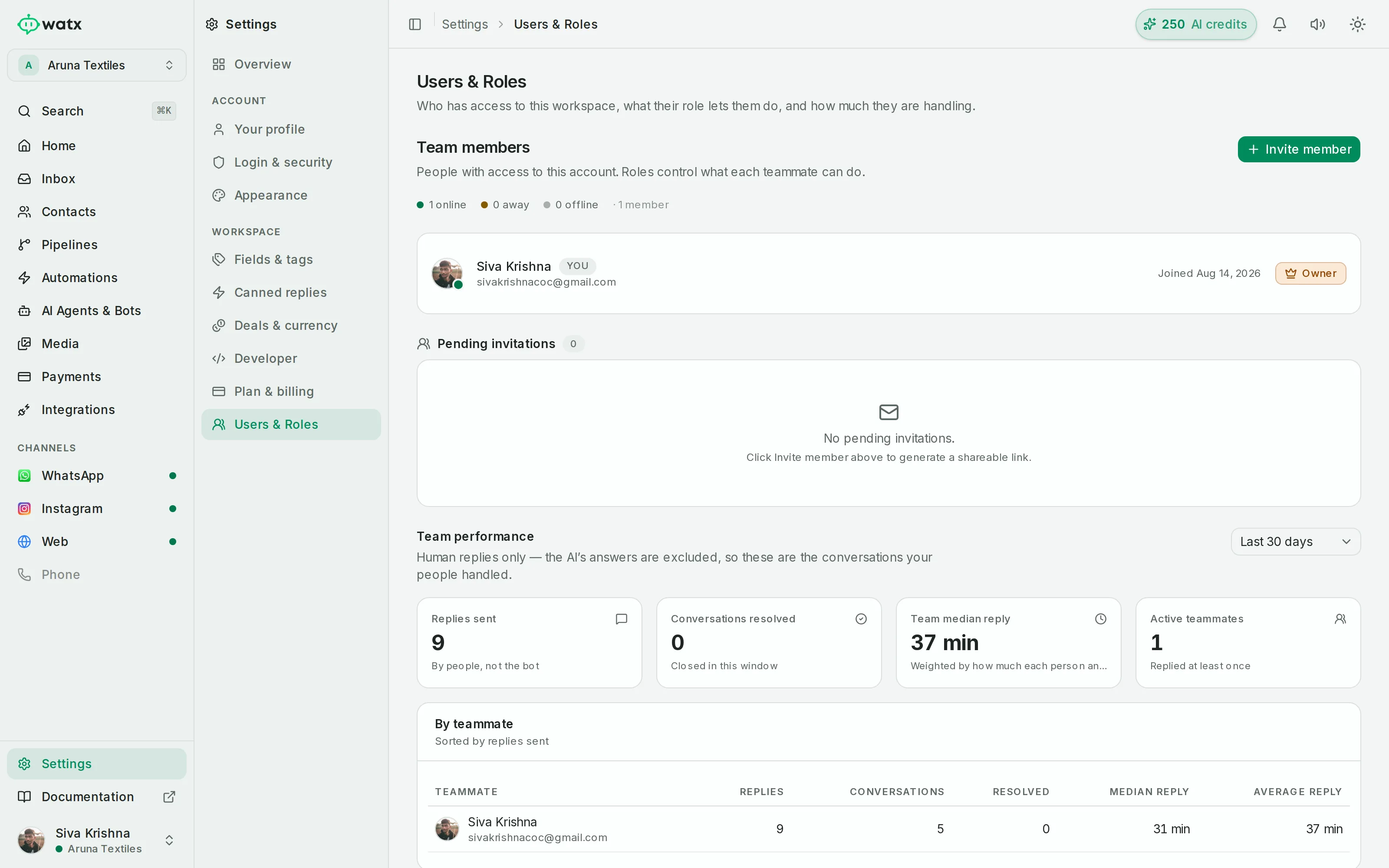
Built for one team — or an agency running fifty.
Invite teammates with roles, switch between many workspaces without signing out, and reuse every uploaded file across flows, broadcasts, templates and the inbox.
- Roles: owner / admin / member, invited by email
- One login, many workspaces — built for agencies
- Media library: every file indexed once and reusable everywhere
- In-app notifications and usage meters against your plan limits
Workspaces, team & admin, answered.
Can one login cover several clients?
Yes. Your login carries membership of every workspace you have been invited to, and switching client is a menu rather than a logout.
How separate is one client's data from another's?
Isolation is enforced per workspace at the database level, not by a filter in the interface.
What roles are there?
Owner, admin and member, invited by email. That is what lets you give a client visibility into their own workspace without handing them the ability to break it.
The rest of the platform
- Official Cloud API Run on the official Meta Cloud API — and stay compliant.
- Team inbox One inbox your whole team can see.
- Contacts & segments Every contact, filed the way your team actually works.
- Broadcasts Send at scale without risking your number.
- Automations No-code automations on a visual canvas.
- Chatbot flows Conversational flows you can test before you ship.
- AI agents AI agents that answer the boring 70% — and hand you the rest.
- Deal pipelines See which conversations turned into revenue.
- Forms & bookings Forms and booking pages that feed straight into Watx.
- Catalogue & orders Sell your catalogue right inside the chat.
- Google Workspace Run Gmail, Calendar and Sheets under your own Google authority.
- Ad attribution Know which ad started the conversation that closed.
- API & webhooks A real API, webhooks, and Zapier for the long tail.
- Trust & compliance We treat your number like it pays the bills.
All of it, on one number.
Watx is one platform, not fifteen add-ons. 15-day free trial, no card, and you can keep the WhatsApp Business app on your number while you try it.