Put an AI agent on
customer support
duty, on WhatsApp.
It answers from your own documents in seconds, qualifies the lead, books the appointment, looks up the order — and hands the conversation to a person the moment it should. On WhatsApp, Instagram and your website chat, with your own model key if you want it.
15 days, no card. Test mode answers only your own number until you are ready.
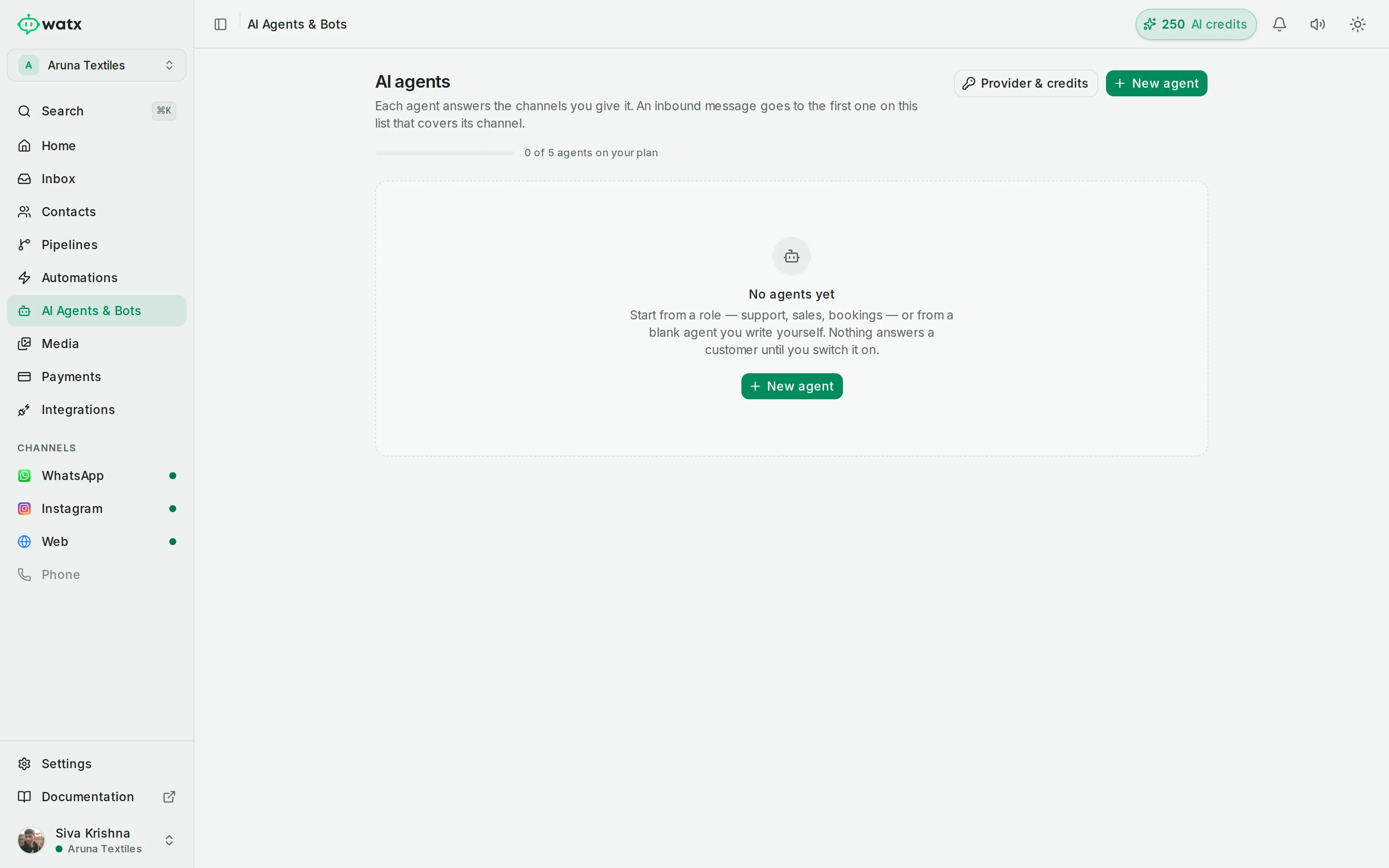
Six jobs it takes off your team.
Not "AI-powered engagement". Six specific things, each of which somebody on your team is doing by hand today.
Answer the questions you answer every day
Stock, sizing, timings, fees, documents, delivery, what a procedure costs, whether you are open on Sunday. The agent answers from your own uploaded material rather than improvising, in the language the customer wrote in.
Knowledge base built from PDFs, DOCX, plain text or a crawl of your own site.
Qualify a lead before a human touches it
Budget, location, timeline, intent — asked conversationally and written to real fields on the contact, so your team opens an enquiry that is already sorted rather than one that needs sorting.
Answers become custom fields, tags and segment membership.
Do things, not just say things
Look up an order, check calendar availability, book or move an appointment, append a row to a sheet, call your own API. An agent that can only talk sends every real request to a person anyway.
Skills and custom API actions, with credentials encrypted and never shown in the UI or logs.
Hand over cleanly when it should
On a rule you set, on low confidence, or the moment someone asks for a person. The conversation moves to the shared inbox with everything already said attached — no repeating, no "let me transfer you".
Escalation rules per agent; the handoff is a node in the flow, not a dead end.
Cover the hours nobody is at a desk
The 2am question gets an answer at 2am. That also keeps the 24-hour service window open, which means the follow-up in the morning is a free reply instead of a billed template.
Replies inside the 24-hour window are free-form and not billed by Meta.
Run several agents, not one
A support agent with your policy documents, a sales agent with your price list, an admissions agent with the prospectus — each with its own persona, knowledge and escalation rules.
Multiple agents per workspace, scoped separately.
Five steps,
no developer.
An afternoon, not a project. The only part that takes real thought is deciding what the agent must not attempt.
- 1
Give it your material
Upload PDFs, DOCX or text, or point it at your website and let it crawl. Content is chunked, embedded and retrieved at answer time, so it quotes your documents rather than the internet.
- 2
Give it a job and a voice
A persona, a scope, and rules for what it must never attempt. Narrow agents are better agents — "answers questions about our courses" beats "helps customers".
- 3
Give it hands
Attach skills — order lookup, appointments, Google Workspace — and custom API actions against your own endpoints, with headers stored encrypted.
- 4
Test it before a customer does
The playground runs it against real assembled context so you can see what it retrieved and why it said what it said.
- 5
Go live carefully
Draft mode keeps it off. Test mode answers only up to three numbers, so you can trial it on your own phone. Then switch it on.
What an AI agent will not do.
You have probably been sold one of these before. Here is where the sales pitch usually stops.
It will not know what you did not tell it
The agent answers from your knowledge base. If the returns policy is only in somebody’s head, the agent cannot recite it — and it will hand over rather than invent one.
It should not make judgement calls
Clinical advice, legal positions, exceptions to your own policy, anything involving money changing hands on a promise. Scope those to a person, deliberately.
It is only as current as your documents
An agent quoting last season’s price list is doing exactly what you asked it to. Re-upload when things change.
It needs a person behind it
Hand-off is not a failure state, it is the design. The measure of a good agent is what it does with the questions it should not answer.
The agent is there to take the repetitive majority so your team can do the part that needs a person. Any vendor telling you it replaces the team is selling you a support backlog.
What it answers, where you work.
- Retail & D2C Answer stock and shipping questions before the cart goes cold.
- Clinics & healthcare Fill the calendar, cut the no-shows, free the front desk.
- Real estate Qualify portal leads before they go cold.
- Education & coaching Walk every applicant from first question to enrolment.
- Travel & hospitality Quote, confirm and support — all in one thread.
- Agencies & resellers Run every client from one login.
Bring your own model.
Use your own OpenAI, Anthropic or Google key and pay that provider directly at their rates — no markup, no lock-in, and you keep the relationship with whoever you already trust. Or use the AI credits included with your plan and think about none of it.
Either way, Watx charges nothing per reply. Keys are stored encrypted and are never shown back in the UI or written to logs.
-
Playground
See the context it retrieved and why it answered that way, before anyone else does.
-
Draft mode
Built, saved, switched off. Nothing reaches a customer.
-
Test mode
Answers up to three numbers — your own phone, your own team.
-
Live
On the channels you choose, with hand-off rules you set.
AI agents, answered.
How is this different from a chatbot?
A chatbot follows a flow you drew — buttons, keywords, branches — and stops at the edge of it. An agent works from your material and reasons about what was asked, so it handles a question you did not anticipate and phrasing you did not script. Watx has both, because a flow is still the right tool when the path is fixed, and the two hand off to each other.
Can I use my own OpenAI or Anthropic key?
Yes. Bring your own OpenAI, Anthropic or Google key and pay that provider directly at their rates, or use the AI credits included with your plan. Your key is stored encrypted and is never shown back in the UI or written to logs.
What stops it from saying something wrong?
Three things, in order. It answers from your retrieved documents rather than from general knowledge. It is scoped — you define what it must not attempt. And it escalates on low confidence or on your own rules rather than guessing. Nothing removes the risk entirely, which is why draft and test modes exist and why you should read the playground output before switching it on.
Does it work in languages other than English?
It replies in the language the customer writes in, working from the same material. That matters most where your documents are in English and half your enquiries are not.
Can it do things in other systems?
Yes — skills and custom API actions let it look up an order, check availability, create or reschedule a calendar event with a Meet link, write to a sheet, or call any endpoint you own. Google Workspace actions run under your own Google authority through a script you deploy in your own account.
What does the AI cost?
Your plan sets how many agents you can run — one on Starter, five on Growth, unlimited on Enterprise. The model itself is either your own key billed by your provider, or the AI credits included with the plan. There is no per-reply charge from Watx.
Try it on your own number first.
Build an agent, point it at your documents, and put it in test mode against your own phone. If it is not good enough, nobody else ever sees it.